Are you a gamer who has always dreamed of turning your passion into a career in video game design and development? This field is competitive, but with the right skills and mindset, you can land your dream job.
Here are some tips and advice on how to start a career in video game design and development.
Design 3D Models for Video Games
The first step to becoming a video game designer is learning how to create 3D models. This will allow you to bring your ideas to life within the game. There are several different 3D modeling tools available online for free; to see whether this is a good fit, spend some time exploring the tools and understanding what they’re capable of achieving.
Also, consider taking courses in these programs or finding online tutorials to learn how to create 3D models. Practice your skills by creating your own models and experimenting with textures, colors, and lighting. Once you feel confident in your skills, start incorporating your models into simple game designs.
Start a Streaming Channel Online
One way to showcase your skills and build a following is by starting a gaming streaming channel. This will allow you to share your gameplay and design projects with others who love games. By building a following, you can gain exposure and possibly attract the attention of game developers looking for talented designers. Make sure to engage with your audience by answering questions and providing insight into your design process. This can help build a relationship with your followers and showcase your expertise.
Showcase Your Projects at Gaming Conventions
Attending video game conventions is an excellent way to network with other game developers and showcase your projects. Many conventions have areas where you can demo your games and receive feedback from other professionals in the industry.
Take the opportunity at these events to talk to other designers and developers about their careers and how they got started. This can provide valuable insights and connections that can help you along your own career path.
Create an Online Portfolio
Building an online portfolio or blog can showcase your skills and help you stand out to potential employers. Be sure to include your 3D models, game designs, and any other gaming-related projects you have worked on. Write about your design process and share any insights or lessons learned. This can help demonstrate your expertise and passion for the field. It is important to make sure your website is well-designed and easy to navigate so that potential employers can see your work quickly and easily.
Apply for Industry Internships
Internships are an excellent way to gain hands-on experience and build a network of contacts within the industry. Many game design companies offer internships for students and recent graduates. Tailor your resume and cover letter to the specific company you are applying to. Highlight any relevant skills and experience, and share your passion for the field. It is important to be persistent and follow up after applying to show your enthusiasm for the position.
Offer Tutoring Services for Game Development
If you have expertise in a specific area of game development, consider offering tutoring services to others. This can provide valuable experience and help you build a reputation within the gaming community. Many students and hobbyists are always looking for guidance and feedback. Offer your services on a freelance basis or through online tutoring platforms.
Start Your Own Gaming Business
If you have a unique idea for a video game or gaming-related product, consider starting your own business and registering as a limited liability company (LLC). This can provide you with more control over your career and allow you to pursue your own creative vision.
Starting your own business requires a lot of hard work and dedication, but it can be incredibly rewarding in the end. Make sure to do your research and create a solid business plan before starting your venture.
Starting a career in video game design and development is not easy, but with the right skills and mindset, you can land your dream job. Practice your 3D modeling, build a following on gaming streaming channels, attend gaming conventions, create a strong online portfolio, apply for internships, offer tutoring services, and consider starting your own business. Stay passionate about your craft, and success will follow.
Nowadays, people are shifting their buying habits from physical to online stores. Consequently, e-commerce stores become crucial for both existing sellers and new entrepreneurs. Additionally, anyone with this skill can earn money from the e-commerce industry.
So, wondering how to start an online store? To be honest, starting an online business is possible for the guys like you who have zero or partial tech knowledge. The best way to achieve this dream and make your ideas into a reality is to create an e-commerce website properly.
The process of setting up an e-commerce website with WordPress does not require any heavy technical knowledge. Currently, numerous platforms are available for building that are quite user-friendly.
Creating your site is simple, even if you have never done it before. Hence, here we will shed some light on how to build an online store in less than an hour. Let’s dive in.
How to Build an Online Store in 5 Simple Steps? [Do It Within An Hour]
These 5 simple steps will help you start an online store within an hour. Be sure to follow each step below carefully:
Step-1: What You’ll Need to Build an Online Store
Here are some essential elements you need to create an e-commerce website.
● Domain and Hosting
First, you must purchase a domain when ready to create a website. In simple terms, a domain name refers to the name of your website. Before you start an e-commerce website, choose a domain name.
Getting your website online will require web hosting, which will store your online store and make it accessible from the world wide web. Choosing a good web host is like having good storage and bandwidth for your e-commerce site.
● WordPress and WordPress Theme
You can build your e-commerce site without any complicated technical skills by installing a WordPress with a simple interactive interface. With WordPress, a free and open-source website builder, you can easily create a blog or website.
WordPress has a wide selection of themes and templates including style sheets (CSS), graphics items, plugins, and other relevant coding libraries. Users who don’t have any technical skills can easily use WordPress layout.
● WooCommerce
Creating an online store with WordPress requires the installation of WooCommerce plugins. WooCommerce is an e-commerce plugin for WordPress sites. This plugin can add a payment method or other sales and marketing activities to your online store.
Step-2: Installing WordPress
Following the purchase of a domain name and hosting, the next step is to install WordPress. To install WordPress, you need to go to the hosting panel. After that, you need to check the “Launch your website” option.
There will be several platforms available to you. That’s where you can find WordPress. Click the WordPress symbol and then select Install WordPress. It will then automatically install WordPress on your hosting.
The installation requires your email address, WordPress username, and a strong password. The WordPress installation will begin once you provide all the details. Once you install WordPress successfully, you will receive your WordPress-powered website.
Once you install WordPress, rename your website, add an about page, contact page, and privacy policy. Ensure you register your website with Google Search Console and Google Analytics.
Likewise, ensure “anyone can register” is selected in the setting choice. Thus your clients or visitors can register on your website or online business.
Step-3: Installing a WordPress Theme (Astra)
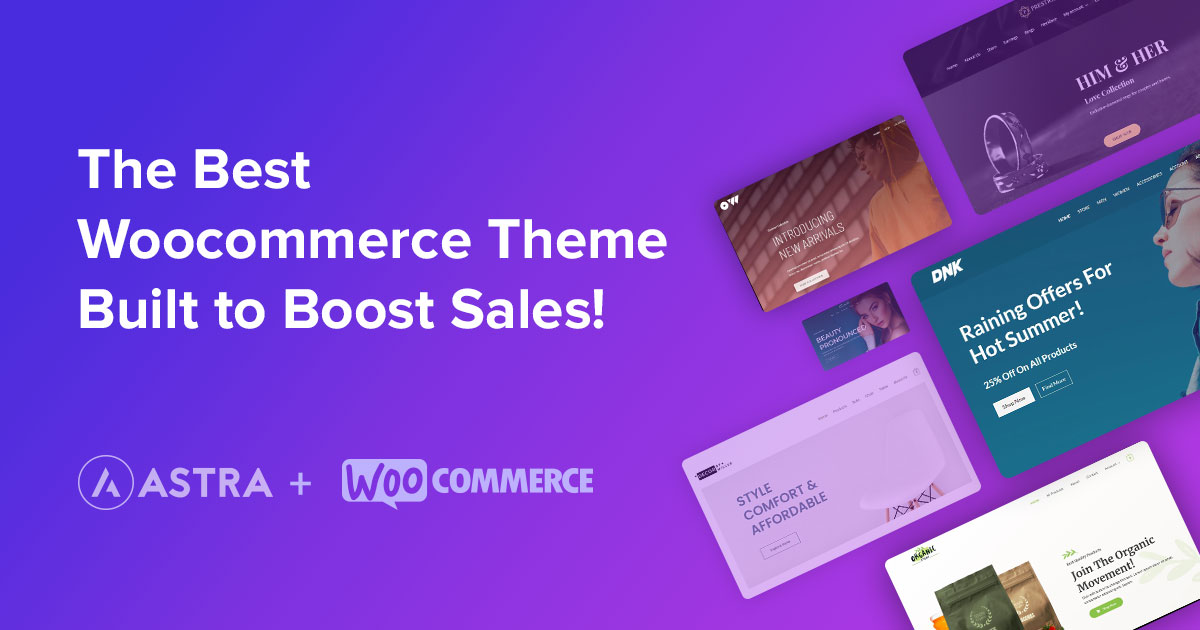
There are many theme options available for your WordPress installation. Astra’s themes are one of the most simple and interactive choices for WordPress users. With Astra, you can create a website that is very easy to use and has a unique look. With a single click, you can create Astra’s customizable and responsive theme for your online store.
Visit the Astra theme’s official website to install the theme. There is a free and premium theme available for Astra. Compare free and paid plans and pick what you like. You’ll receive a ZIP file with the theme and relevant documentation if you download the theme.
Installing a theme via WordPress is the second method. You can do this by clicking customize and then clicking themes. Then enter “Astra” into the WordPress search bar. Once you’ve got the theme, click the theme to install it. Click activate the theme after installation to make sure the theme is active.
Step-4: Installing WooCommerce and Necessary Plugins
You must install the WooCommerce plugin to make your site an e-commerce website. When you’re done installing WordPress, go to the plugins tab and click on ‘Add New’ in the admin panel.
In the search bar, write ‘WooCommerce,’ and the option will pop up in front of your screen. Choosing the ‘Install Now’ option will start the installation process. On the next screen, you will see an ‘Activate’ button. Click on it to activate the plugin. That’s it, you’re done creating your WooCommerce store! With the Astra theme, WooCommerce allows you to customize relevant pages like shop pages, product pages, shopping carts, checkout pages, and thank you pages.
Many plugins for WooCommerce help with SEO, front-end customization, analytics, traffic, and many other things.
● Using Starter Template
After installing certain plugins and the Astra theme, you can create an online store from scratch or use startup templates included in the Astra theme. However, lots of pre-built templates are available on different online platforms. There are both free and paid templates with beautiful designs available for your online store.
With the Astra theme, you can create an online store using any template. After installing the starter templates plugin in the Astra theme options, you can import starter templates.
Astra offers a variety of templates and demo versions for you to get a better idea of what a store is like. Astra Pro users can use all paid templates; free users can only use free templates. There are free and paid templates available.
Choosing a template later will automatically import it when you click Import This Template.
Plant Shop is a free Astra template with an interactive design. It has a modern and updated look, creating a unique appeal to visitors. If you want to import the plant shop template, click on import, you can import the full website or only the Home page.
After importing the template, you can customize the theme to your requirement. Using a page builder like Elementor, you can easily change your site by dragging and dropping.
● Build Your Online Store from Scratch
To build your online store from scratch, you can start by selecting an online store platform, WordPress and WooCommerce.
First, you should create an attractive homepage design for your store. Elementor’s page builder makes it easy to create a beautiful website. It will require you to download and install the Elementor plugin.
From this guide, you will get complete instructions on how to create an online store from scratch. So make sure you read it carefully.
Step-5: Setting Up Your Online Store
Once you build your online store with a starter template or from scratch, you must add some functionalities. Adding all of these features requires you to first open your Woocommerce by selecting the Woocommerce option.
● Shipping
Your WooCommerce shop should include shipping information if it is available to ship products to different regions or countries. The shipping and delivery section under settings of WooCommerce needs to be updated with info like product weight, packaging, shipping cost, and destination. It’ll make it easier for your customers to book or order.
● Taxes
The next step is to set up taxes based on your shipping address. During checkout, select the Excluding tax option and the shop’s price display in the shipping tax class.
It is now time to set up taxes for various countries. There are differences between countries in terms of tax regulations and percentages. Choose the normal options under the Tax option. A table will appear where you can add the state, city, country, and rate. Add the appropriate country code by clicking the insert row.
● Payments
Following the shipping and tax information, you can set up a payment method. Prepaid and Cash on Delivery are the two primary methods of payment.
You can choose from both options for your product. There is no other setting for cash on the delivery method. WooCommerce’s Prepaid type has multiple payment gateways available. You can accept credit and debit payments from international cards through these gateways.
You must first create an account with your preferred payment gateway. After creating an account with your selected gateways, you can receive an API. Take note of the API and secret key and go to the Woocommerce Payment Option.
Activate their payment method and install their plugins. Upon enabling the payment method, you will receive a setting to manage it. Then click Manage. Next, you will be given an option to paste the copied API and secret key. Now save it. Now you can get paid with credit and debit cards.
● Adding Products
Once your site is set up, you must add your business products to WooCommerce. Your WooCommerce site should have good-quality pictures of your products with product descriptions. When people browse your online store, they will see the products.
Better product photos and proper product descriptions will encourage the audience to buy. You can add a product by clicking on add new product on the WooCommerce dashboard.
● Testing Store
After you have completed all setups, you should test all settings functionality. Choose a product, place an order, and enter information about shipping, payment method, and other options. Check your WooCommerce dashboard to see notifications for placed orders and look in the payment method option if any payment is made.
You can go live online with your e-commerce store if everything has been tested and is working as expected. Moreover, you must communicate effectively with your customers and listen to their needs and desires by creating a website to sell products online.
FAQ:
Is it Possible to Build an Online Store Quickly?
Building an online store does not take a long time once you begin. Creating a simple online store with a few products takes less than an hour. Depending on the size, building an online store can take hours to weeks.
How do I Build an E-commerce Store?
Building an e-commerce store is easy when you use the WordPress WooCommerce platform or any other online platform that offers a pre-built framework. But the process of building an eCommerce website will take longer on such platforms that are less customizable.
What Tools do I Need to Build an E-commerce Store?
A domain name and web hosting, WordPress installation, and the WooCommerce plugin for e-commerce sites are the basic requirements for building an online store. It’s easy and hassle-free to build a store using these tools.
Can Anyone Build a Store?
Building a store doesn’t require any rocket science. So, with simple knowledge and proper guidelines, anyone can make it possible.
An open-source e-commerce plugin for WordPress called WooCommerce allows you to create online shops without having to know complicated technical skills. It is also vital to ensure that your selected themes are not too slow or heavy.
The Takeaway:
That is all from today’s post about building an e-commerce website. Setting up an online store is easy, but sales depend on marketing, website usability, and products. Promotion of your online store can get you more deals and the trust of your customers. I hope our guide on how to start an online store will help you to create your online shop easily today.
Which Internet Marketing Strategies Will Make My Online Presence Stronger?
If you’re interested in making your online presence as strong as possible, know that accessing and implementing the right internet marketing strategies is important. Below you’ll find just four of numerous online advertising techniques that will empower you to make your brand increasingly successful in the internet domain.
1. Social Media Optimization (SMO).
SMO is one of the best internet marketing services to invest in when you get serious about developing a substantive online presence. This marketing strategy works by keeping you connected to your audience through popular social channels such as:
There are multiple SMO techniques that an online advertising team might deploy on your behalf. One of them is Facebook contests. These contests empower you to interface with your target audience as you run a contest that enables someone to win a promotional prize. Contests are oftentimes incredibly exciting for participants and can also motivate them to share your brand with other individuals as they start talking about what’s going on with the competition. Note that one of the best ways to optimize the use of contests in social media spaces is by enhancing engagement. One way to make it happen is by having contest participants create a video. For example, if your contest involves having participants create a sample logo and selecting the best one to represent your brand next season, you could have people create a detailed video outlining why they chose certain images and colors to represent your brand.
2. Blogging.
In addition to utilizing social media optimization strategies, make sure that you tap into the power of blogging. Blogging is beneficial for your brand because it functions as a type of content production. When you’re regularly creating information-rich, engaging blog posts, you have something meaningful to share with online audiences. There are many steps you can take to optimize your blog efforts. One is by working hand in hand with a team of digital experts who know the blogging universe infinitely well. Another is developing Q & A content that encourages your audience to get involved with the brand by asking you questions about it and receiving answers directly from you.
3. Responsive Web Design.
Another internet marketing strategy you can deploy to make your online presence more dynamic is the use of responsive web design services. These services are important because they empower you to make your product pages accessible to those who use electronic devices. Remember that if people who use mobile devices cannot access your website easily, you’ll run the risk of losing their business because they’ll navigate away from your site in frustration. Another strategy that a web design and development company might deploy to make your organization grow online is the use of a website shopping cart. This strategy ensures that people who visit your website can store all of their items in a central location before checking out.
4. Search Engine Optimization (SEO).
SEO is an important, inalienable component of the e-commerce process. This internet marketing strategy is all about making the client’s web media more visible across all of the online platforms utilized by members of the target audience. There are numerous SEO techniques that a digital firm can deploy to make this happen. Some of them include:
• inbound linking
• outbound linking
• keyword analysis
• target market research
• local SEO
Do you know you can make passive income from your blog by effectively doing SEO? Well, here is a video to know how!
Don’t Delay: Start Optimizing Your Online Presence Today!
If you’re ready to make your brand an increasingly dynamic force in online spaces, now is the time to focus on your internet marketing strategies. Use the outline above as a guide and reference point as you move forward with the process of designing and implementing your online advertising campaign!
You may not have a great deal of experience when it comes to computers and the Internet. However, you are determined to become your own boss and start an online business. Having this sort of ambition is quite admirable. However, you need to have a clear understanding of what exactly it is that you are getting into before starting your internet business. Being unprepared could mean big problems down the road for your site. This is why you need to be sure to have all of your ducks in a row.
Here are a few of the most essential things to consider when starting a website for your internet business.
1. How much will it cost?
Preparing a budget is very important when you are going to be starting your own online business. You will need to figure out how much it will cost to buy your inventory. How many will you need to sell in order to make a profit? How much will it cost to hire a professional web designer to handle the construction of your site? What will your monthly maintenance costs be to keep your site online? What will you have to pay to reserve domain name? Will you be hiring anyone to help you run the site when it first goes online? Small business owners always need to be aware of their bottom line. Otherwise, there is a distinct possibility they will overspend and have some very serious financial problems that could cripple their business. It would also be a good idea to hire an accountant to help you organize your finances more efficiently.
2. Is there a demand for your product or service?
You need to be sure you are selling a product or service that the general public actually wants or needs. Failing to do this could mean that you will be out of business in a short period of time. Take a look at some of the hottest online businesses and see what they are selling. You can get some good ideas this way. Alternately, you can try to create a service that people need that nobody is currently offering. You should try to avoid selling products or services in industries that already have an enormous amount of competition. Try to find a niche that will make it easy for you to make a name for yourself without having to battle hundreds of other sites selling the same thing. This will be your fastest path to success.
3. How much should you charge?
The pricing of the products and services you sell on your site is a huge decision that will have lasting implications on the amount of sales you make. You need to carefully study how much your chief competitors are already charging for similar items. You also need to think about how much you need to sell the items for in order to earn a profit. Keep in mind that many customers simply buy from the site with the lowest price. Use all of this data in order to set competitive prices on your site and succeed on your internet business.
Disclaimer: This post contains affiliate links, which means that I may get a commissions if you decide to purchase using the links. Plus, when you order through my link, it helps me to continue to offer you more contents on Work Money Fun. Thank you!
Starting Your Own Online Business is Easier than You Think
There are two approaches to starting your own online business. One is to start with a product that you believe in such as organic baby clothes or homemade scented candles and market them on your own ecommerce site. The other way is to find out what people want and provide it. It’s easy to do market research online to find out what people are searching for and not finding. You can learn more here about simple solutions to all your online business issues.
A Well-designed Website
Most visitors stay on a website for fewer than five seconds. You need to get their attention, so they will not only stay but buy or at least give you their email address. Here are some tips for a good website.
The Appearance
Make it simple and uncluttered. Use a white background and one or two sans-serif fonts. Navigation should be easy and the same on every page. You don’t need a lot of graphics, but a few that enhance your message may help. Include a place where customers can give their email address. Your customer checkout should be no more than two clicks.
Have Good Content
The text on your website should not only be informative, it should also be interesting. You should establish yourself as an expert in your field and provide content that gives value to your customer. This delivers the most efficient SEO and will get you higher rankings on search engines. Your site should have at least two positive testimonials from actual customers. If possible, give a money-back guarantee of satisfaction. The text should contain a proactive statement and ask for the sale.
Use Email Marketing
Email marketing will give you the best return on your investment. It is far superior to print, TV, telemarketing and radio because it can be targeted to specific groups all over the world. Always follow up on any customer who gives you his or her email address.
Use Live Chat
A live chat on your website is the best way to guarantee good customer service. Your customers will have quick access to you to ask questions or complain. Whatever it is, you’ll know quickly and be able to right any wrongs, so your customers have a satisfactory interface with your company.
It may seem like a lot of work just setting up an ecommerce business, but you can get software that will make it much easier and prevent any future problems.