Tag: WordPress Themes

  • Best WordPress Theme For Blogs And Ecommerce

    Best WordPress Theme For Blogs And Ecommerce

    Building a website can be incredibly challenging and, let’s be honest, boring at times.

    You want your website to stand out but don’t want to spend months putting it together. It must be functional, user-friendly, and engaging enough to attract visitors.

    Numerous WordPress themes can help you build your website. But when making a choice, you need to be sure the theme can cater to your requirements.

    Well, the Kadence theme for blogs and e-commerce sites has everything you need—and so much more!

    This article will go over everything there is to know about the theme, so you can see why it’s preferred by website owners worldwide.

    Best WordPress Theme for Blogs and eCommerce

    Why Kadence is the Best WordPress Theme for Blogs and Ecommerce?

    Kadence is a WordPress theme from StellarWP. StellarWP, which is a part of the Liquid Web family of brands, is a collective of WordPress innovators like iThemes security & backup, IconicWP sales boosting WooCommerce plugins, GiveWP donation plugin, Restrict Content Pro membership plugin, LearnDash learning management system, and The Events Calendar tools.

    Kadence specializes in developing WordPress themes for people looking for efficient and effective website designs.

    They have been in the business long enough to know exactly what people want from a WordPress theme. This expertise allows them to optimize features and cater to various business owners.

    Whether you want to set up an e-commerce site or a blog, the Kadence themes can help you achieve your goals with their versatile themes. These themes can be integrated with page builders like Gutenberg, Elementor, Beaver Builders to build custom layouts and craft content with Kadence Blocks.

    Kadence WP provides extra bundles with their additional toolkit and plugins to grow your eCommerce revenue by boosting sales and engaging with customers.

    Before diving into the theme’s features, let’s take a closer look at what Kadence offers.

    User Friendly

    The Kadence theme is surprisingly easy to use, regardless of your knowledge or skill level in building websites. It is intuitive, allowing you to follow a few simple steps to create a stunning website.

    The theme comes with several options for free and paid starter templates that give users a great idea of what their website can look like. For a new blog, free WordPress theme template is a good option to test.

    Light-weight and Fast

    In this age of instant gratification, website speed matters more than ever. Kadence’s clean code and light-weight design guarantee fast loading times, enhancing user experience and boosting SEO for SERP rankings.

    Excellent Customer Support

    Kadence is known for its efficient customer support. If you need help navigating the theme, you can reach out to them and have the issue sorted out immediately.

    Creating your perfect website is their mission; they see your satisfaction as their victory.

    Use on Unlimited Sites

    Kadence does not limit the use of its theme to one site. You can use their theme on unlimited sites if you purchase it once.

    This is a huge bonus, as you can use the same theme but still create a unique design for all the sites you manage.

    30-Day Money Back Guarantee

    Kadence knows their WordPress themes are the best. This is why they offer a refund if any of their customers are unsatisfied with the product.

    All you have to do is contact them within 30 days of your purchase, and they will refund your money without question.

    most popular wordpress ecommerce themes 2023

    Features of the Kadence Theme

    Besides the appeal of Kadence as WordPress experts, their themes also have multiple features that appeal to website builders.

    They include fun, modern features without impacting website speed or functionality.

    In fact, Kadence prides itself on providing an optimized website with exceptional performance.

    Your website can be built in three simple steps.

    Select a starter template suited to your website, pick your color scheme, and then choose your fonts.

    Let’s look at some of the best features of the Kadence theme as the most popular WordPress ecommerce themes 2023 for e-commerce sites and blogs.

    Header/Footer Builder

    This builder has a simple drag-and-drop interface, making it effortless to work with. It helps you create the perfect header and footer for your website.

    You don’t have to spend time making sure everything is in the right place because you can have it exactly where you want!

    Custom Layouts

    Here’s the best news: you are not limited by a set layout!

    With Kadence, the layouts can be fully customized, meaning you can even choose the width of the sidebar.

    Global Color Palette

    The global color palette makes it easier to choose a color scheme and apply it to your entire site.

    The Kadence themes come with 12 pre-set color palettes, so you can pick the one that best suits your website.

    Global Typography

    The global typography feature allows you to choose from any Google or Web Safe font. You can customize everything, from sizes to styles, giving you complete control over how each page of your website looks.

    Similar to the global color palette, there are 12 font pairings to choose from.

    Global Button Settings

    Buttons on a website should be attractive and functional. With the Kadence theme, you can make the perfect buttons for your website and use them everywhere.

    Social Links

    A website is not complete without links to your social media pages.

    The theme lets you add all your social media buttons to your headers and footers in just a few clicks.

    Accessibility

    Another thing Kadence includes in their theme is accessibility considerations. This means you can customize your website for access from different devices.

    As a result, your website can be accessed from a computer, mobile device, or tablet and still provide a great user experience.

    Breadcrumbs

    The Kadence theme also lets you activate breadcrumbs. There’s a built-in breadcrumb generator engine, or you can use an SEO plugin.

    The choice depends on what you are most comfortable working with. Breadcrumbs are a great asset to any website and help Google better understand how your website is structured.

    SEO

    Many people consider Kadence the best WordPress theme for blogs and ecommerce because of its SEO practices. This theme makes sure only the best SEO practices are used for your website’s design.

    This is why the theme does not slow down the performance of your website. In fact, it can actually help improve the overall speed of your website.

    ithemes security

    Comparison to Other Themes

    To understand why Kadence shines as the best WordPress theme, let’s compare it with five other popular themes: Astra, OceanWP, Divi, GeneratePress, and Avada.

    Kadence vs. Astra

    Astra is known for its speed and performance, but Kadence has its own set of advantages. While Astra excels in performance, Kadence offers a perfect blend of speed and customization options, making it a great choice for users looking for more design flexibility. It’s all about finding the right fit for your needs, and Kadence has definitely got you covered!

    Kadence vs. OceanWP

    OceanWP platform offers a wide selection of pre-built demos, but Kadence counters with their super intuitive interface and user-friendly experience. Kadence gives you the flexibility to create a completely one-of-a-kind website with ease that perfectly reflects your unique style and vision.

    Kadence vs. Divi

    Divi is a widely used theme with a powerful page builder, but Kadence surpasses it in terms of site speed and performance. For users prioritizing website loading times, Kadence’s lightweight design becomes a decisive factor.

    Kadence vs. GeneratePress

    While GeneratePress is definitely a fan favorite for its simple and clean design, Kadence takes things a step further by offering a wide range of customizable blocks, headers, and footers. This means that you can really let your creativity shine and create a website that’s uniquely your own. Whether you’re a seasoned pro or just starting out, Kadence is a fantastic option for anyone looking to design a website that stands out from the crowd.

    Kadence vs. Avada

    Avada is a popular theme with a massive user base, but Kadence stands its ground by offering faster load times and a more intuitive user interface. Kadence also seamlessly integrates with page builders, making it an even more appealing option.

    FAQs

    In Summary

    The Kadence theme for websites is popular among many businesses and site owners. It’s different from other WordPress themes because it’s easy to use and because of how well it works technically and in real life.

    The development of the theme took multiple perspectives into consideration. This is why the Kadence WordPress theme is one that website designers and users can appreciate, and it is one of the top 5 WordPress eCommerce themes 2023.

    It doesn’t only look good; it also ensures that your website works at its full potential!

    How To Build An Online Store In Less Than One Hour
    Nowadays, people are shifting their buying habits from physical to online stores. Here we will shed some light on how to build an online store in less than an hour

  • How To Build An Online Store In Less Than One Hour

    How To Build An Online Store In Less Than One Hour

    Nowadays, people are shifting their buying habits from physical to online stores. Consequently, e-commerce stores become crucial for both existing sellers and new entrepreneurs. Additionally, anyone with this skill can earn money from the e-commerce industry.

    So, wondering how to start an online store? To be honest, starting an online business is possible for the guys like you who have zero or partial tech knowledge. The best way to achieve this dream and make your ideas into a reality is to create an e-commerce website properly.

    The process of setting up an e-commerce website with WordPress does not require any heavy technical knowledge. Currently, numerous platforms are available for building that are quite user-friendly.

    Creating your site is simple, even if you have never done it before. Hence, here we will shed some light on how to build an online store in less than an hour. Let’s dive in.

    How to Build an Online Store in 5 Simple Steps? [Do It Within An Hour]

    build an online store

    These 5 simple steps will help you start an online store within an hour. Be sure to follow each step below carefully:

    Step-1: What You’ll Need to Build an Online Store

    Here are some essential elements you need to create an e-commerce website.

    ●      Domain and Hosting

    First, you must purchase a domain when ready to create a website. In simple terms, a domain name refers to the name of your website. Before you start an e-commerce website, choose a domain name.

    Getting your website online will require web hosting, which will store your online store and make it accessible from the world wide web. Choosing a good web host is like having good storage and bandwidth for your e-commerce site.

    ●      WordPress and WordPress Theme

    You can build your e-commerce site without any complicated technical skills by installing a WordPress with a simple interactive interface. With WordPress, a free and open-source website builder, you can easily create a blog or website.

    WordPress has a wide selection of themes and templates including style sheets (CSS), graphics items, plugins, and other relevant coding libraries. Users who don’t have any technical skills can easily use WordPress layout.

    ●      WooCommerce

    Creating an online store with WordPress requires the installation of WooCommerce plugins. WooCommerce is an e-commerce plugin for WordPress sites. This plugin can add a payment method or other sales and marketing activities to your online store.

    Step-2: Installing WordPress

    Following the purchase of a domain name and hosting, the next step is to install WordPress. To install WordPress, you need to go to the hosting panel. After that, you need to check the “Launch your website” option.

    There will be several platforms available to you. That’s where you can find WordPress. Click the WordPress symbol and then select Install WordPress. It will then automatically install WordPress on your hosting.

    The installation requires your email address, WordPress username, and a strong password. The WordPress installation will begin once you provide all the details. Once you install WordPress successfully, you will receive your WordPress-powered website.

    Once you install WordPress, rename your website, add an about page, contact page, and privacy policy. Ensure you register your website with Google Search Console and Google Analytics.

    Likewise, ensure “anyone can register” is selected in the setting choice. Thus your clients or visitors can register on your website or online business.

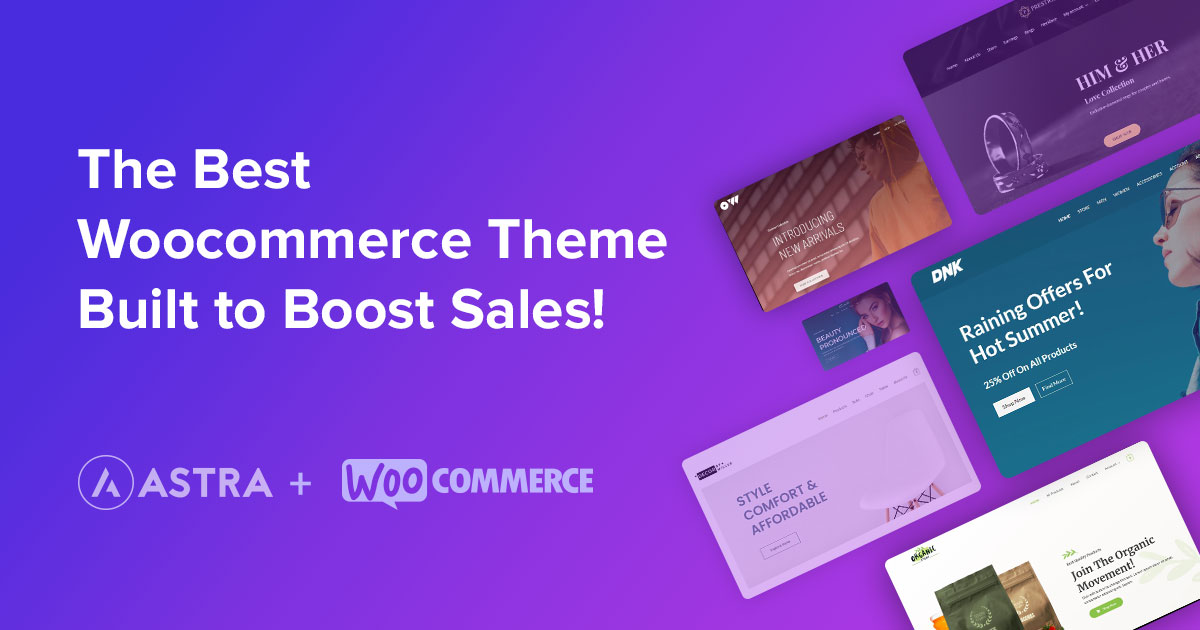
    Step-3: Installing a WordPress Theme (Astra)

    Astra

    There are many theme options available for your WordPress installation. Astra’s themes are one of the most simple and interactive choices for WordPress users. With Astra, you can create a website that is very easy to use and has a unique look. With a single click, you can create Astra’s customizable and responsive theme for your online store.

    Visit the Astra theme’s official website to install the theme. There is a free and premium theme available for Astra. Compare free and paid plans and pick what you like. You’ll receive a ZIP file with the theme and relevant documentation if you download the theme.

    Installing a theme via WordPress is the second method. You can do this by clicking customize and then clicking themes. Then enter “Astra” into the WordPress search bar. Once you’ve got the theme, click the theme to install it. Click activate the theme after installation to make sure the theme is active.

    Step-4: Installing WooCommerce and Necessary Plugins

    You must install the WooCommerce plugin to make your site an e-commerce website. When you’re done installing WordPress, go to the plugins tab and click on ‘Add New’ in the admin panel.

    Woocommerce

    In the search bar, write ‘WooCommerce,’ and the option will pop up in front of your screen. Choosing the ‘Install Now’ option will start the installation process. On the next screen, you will see an ‘Activate’ button. Click on it to activate the plugin. That’s it, you’re done creating your WooCommerce store! With the Astra theme, WooCommerce allows you to customize relevant pages like shop pages, product pages, shopping carts, checkout pages, and thank you pages.

    Many plugins for WooCommerce help with SEO, front-end customization, analytics, traffic, and many other things.

    ●     Using Starter Template

    After installing certain plugins and the Astra theme, you can create an online store from scratch or use startup templates included in the Astra theme. However, lots of pre-built templates are available on different online platforms. There are both free and paid templates with beautiful designs available for your online store.

    With the Astra theme, you can create an online store using any template. After installing the starter templates plugin in the Astra theme options, you can import starter templates.

    Astra offers a variety of templates and demo versions for you to get a better idea of what a store is like. Astra Pro users can use all paid templates; free users can only use free templates. There are free and paid templates available.

    Choosing a template later will automatically import it when you click Import This Template.

    Plant Shop is a free Astra template with an interactive design. It has a modern and updated look, creating a unique appeal to visitors. If you want to import the plant shop template, click on import, you can import the full website or only the Home page.

    After importing the template, you can customize the theme to your requirement. Using a page builder like Elementor, you can easily change your site by dragging and dropping.

    ●     Build Your Online Store from Scratch

    To build your online store from scratch, you can start by selecting an online store platform, WordPress and WooCommerce.

    First, you should create an attractive homepage design for your store. Elementor’s page builder makes it easy to create a beautiful website. It will require you to download and install the Elementor plugin.

    From this guide, you will get complete instructions on how to create an online store from scratch. So make sure you read it carefully.

    OutperformCompetitorsinSearchEngineResults-1200x630

    Step-5: Setting Up Your Online Store

    Once you build your online store with a starter template or from scratch, you must add some functionalities. Adding all of these features requires you to first open your Woocommerce by selecting the Woocommerce option.

    ●      Shipping

    Your WooCommerce shop should include shipping information if it is available to ship products to different regions or countries. The shipping and delivery section under settings of WooCommerce needs to be updated with info like product weight, packaging, shipping cost, and destination. It’ll make it easier for your customers to book or order.

    ●      Taxes

    The next step is to set up taxes based on your shipping address. During checkout, select the Excluding tax option and the shop’s price display in the shipping tax class.

    It is now time to set up taxes for various countries. There are differences between countries in terms of tax regulations and percentages. Choose the normal options under the Tax option. A table will appear where you can add the state, city, country, and rate. Add the appropriate country code by clicking the insert row.

    ●      Payments

    Following the shipping and tax information, you can set up a payment method. Prepaid and Cash on Delivery are the two primary methods of payment.

    You can choose from both options for your product. There is no other setting for cash on the delivery method. WooCommerce’s Prepaid type has multiple payment gateways available. You can accept credit and debit payments from international cards through these gateways.

    You must first create an account with your preferred payment gateway. After creating an account with your selected gateways, you can receive an API. Take note of the API and secret key and go to the Woocommerce Payment Option.

    Activate their payment method and install their plugins. Upon enabling the payment method, you will receive a setting to manage it. Then click Manage. Next, you will be given an option to paste the copied API and secret key. Now save it. Now you can get paid with credit and debit cards.

    ●      Adding Products

    Once your site is set up, you must add your business products to WooCommerce. Your WooCommerce site should have good-quality pictures of your products with product descriptions. When people browse your online store, they will see the products.

    Better product photos and proper product descriptions will encourage the audience to buy. You can add a product by clicking on add new product on the WooCommerce dashboard.

    ●      Testing Store

    After you have completed all setups, you should test all settings functionality. Choose a product, place an order, and enter information about shipping, payment method, and other options. Check your WooCommerce dashboard to see notifications for placed orders and look in the payment method option if any payment is made.

    You can go live online with your e-commerce store if everything has been tested and is working as expected. Moreover, you must communicate effectively with your customers and listen to their needs and desires by creating a website to sell products online.

    BrainstormForce-Store

    FAQ:

    Is it Possible to Build an Online Store Quickly?

    Building an online store does not take a long time once you begin. Creating a simple online store with a few products takes less than an hour. Depending on the size, building an online store can take hours to weeks.

    How do I Build an E-commerce Store?

    Building an e-commerce store is easy when you use the WordPress WooCommerce platform or any other online platform that offers a pre-built framework. But the process of building an eCommerce website will take longer on such platforms that are less customizable.

    What Tools do I Need to Build an E-commerce Store?

    A domain name and web hosting, WordPress installation, and the WooCommerce plugin for e-commerce sites are the basic requirements for building an online store. It’s easy and hassle-free to build a store using these tools.

    Can Anyone Build a Store?

    Building a store doesn’t require any rocket science. So, with simple knowledge and proper guidelines, anyone can make it possible.

    An open-source e-commerce plugin for WordPress called WooCommerce allows you to create online shops without having to know complicated technical skills. It is also vital to ensure that your selected themes are not too slow or heavy.

    The Takeaway:

    That is all from today’s post about building an e-commerce website. Setting up an online store is easy, but sales depend on marketing, website usability, and products. Promotion of your online store can get you more deals and the trust of your customers. I hope our guide on how to start an online store will help you to create your online shop easily today.